

Network and egress
A workspace reaches only what its network policies allow. Policies are allowlists with
names, such as web or registry-only, and a workspace runs under one or more of them, called
its tags. They are enforced on the runner, outside the virtual machine, so nothing done
inside the workspace — even as root — can change them.
The default is closed
Section titled “The default is closed”Egress is closed by default. A workspace created without --network-tag runs under the installation’s
default_network_tags. If the installation has not set any, it runs under offline, which
every runner has and which allows nothing.
No setting means “open”. An installation that wants workspaces to reach the internet by
default declares a policy that says so, for example allow: ["0.0.0.0/0"], and names it in
default_network_tags. What a workspace can reach always has a name somebody chose.
Always blocked
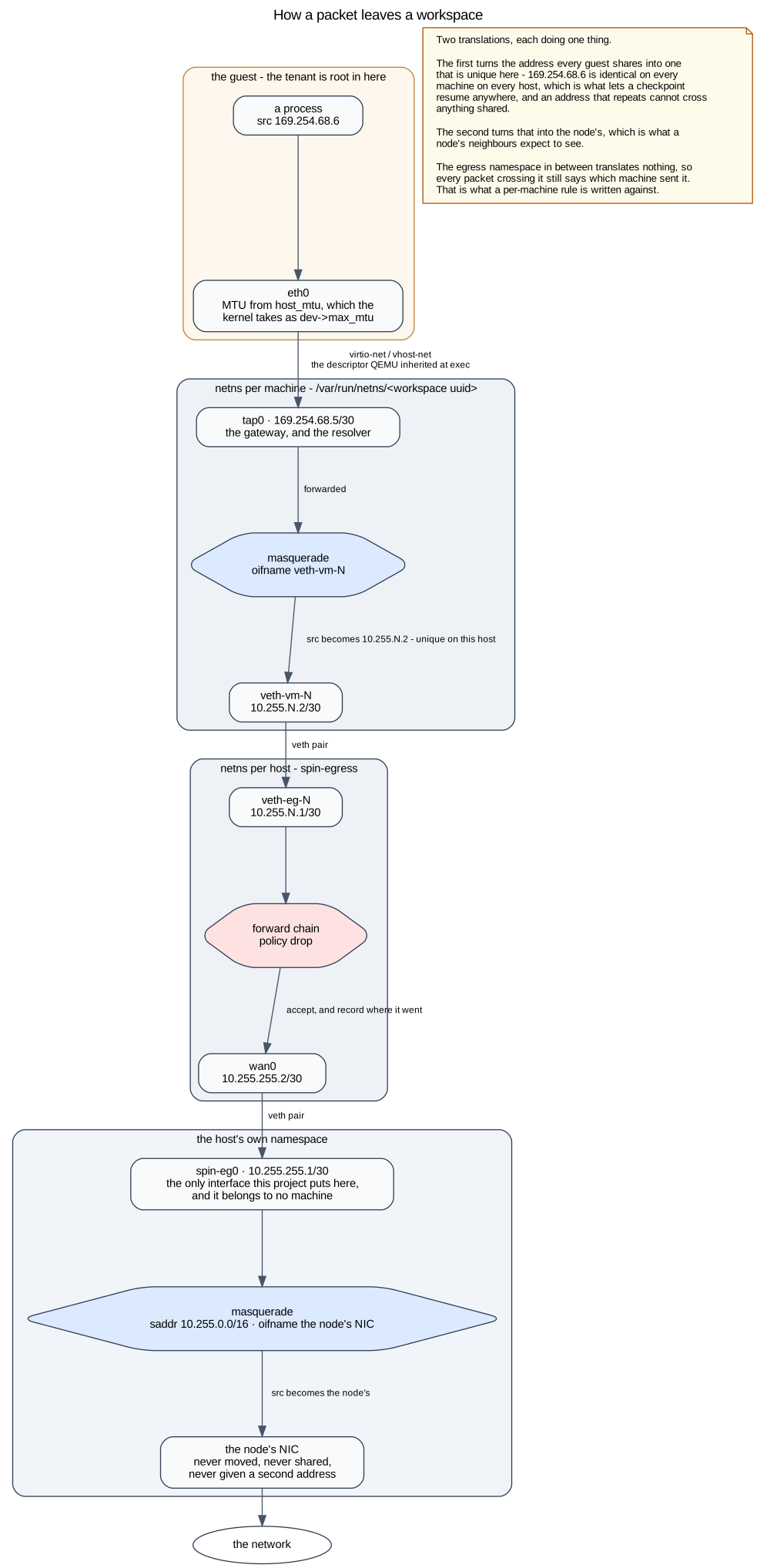
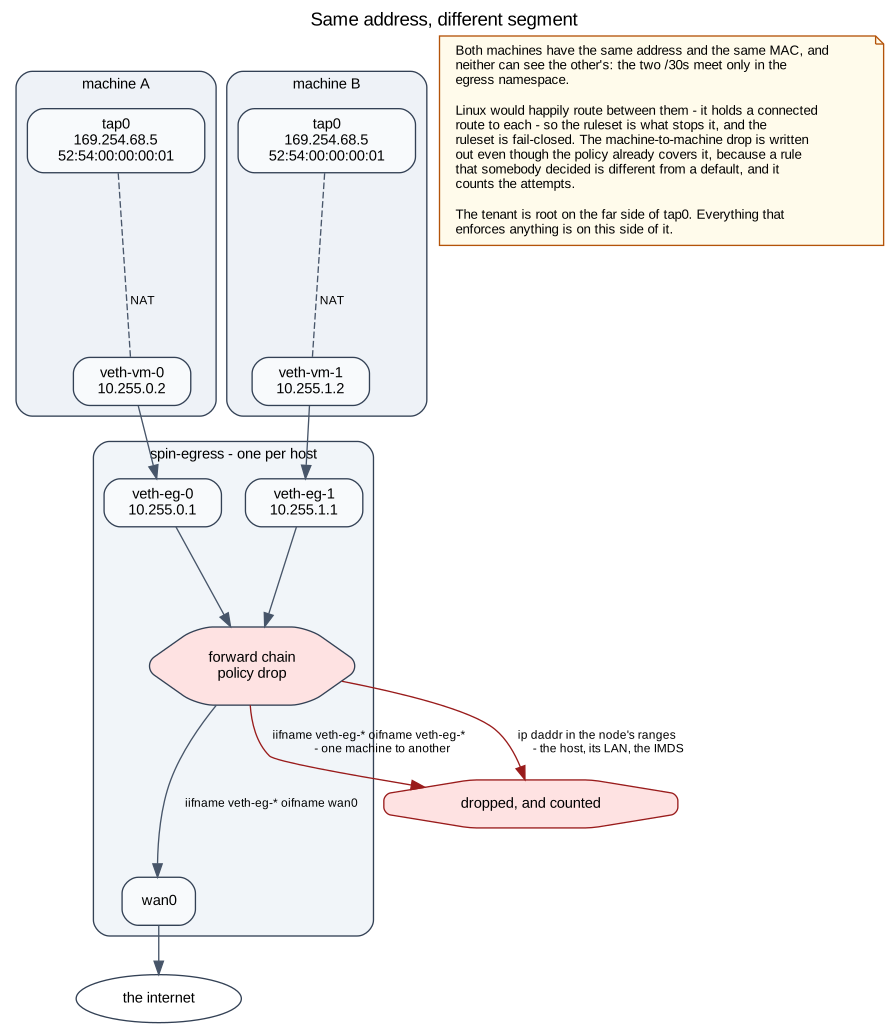
Section titled “Always blocked”Whatever its policies say, a workspace never reaches:
- private, loopback, link-local and reserved addresses, including the cloud’s instance metadata service,
- any address of the runner it runs on,
- anything over IPv6.
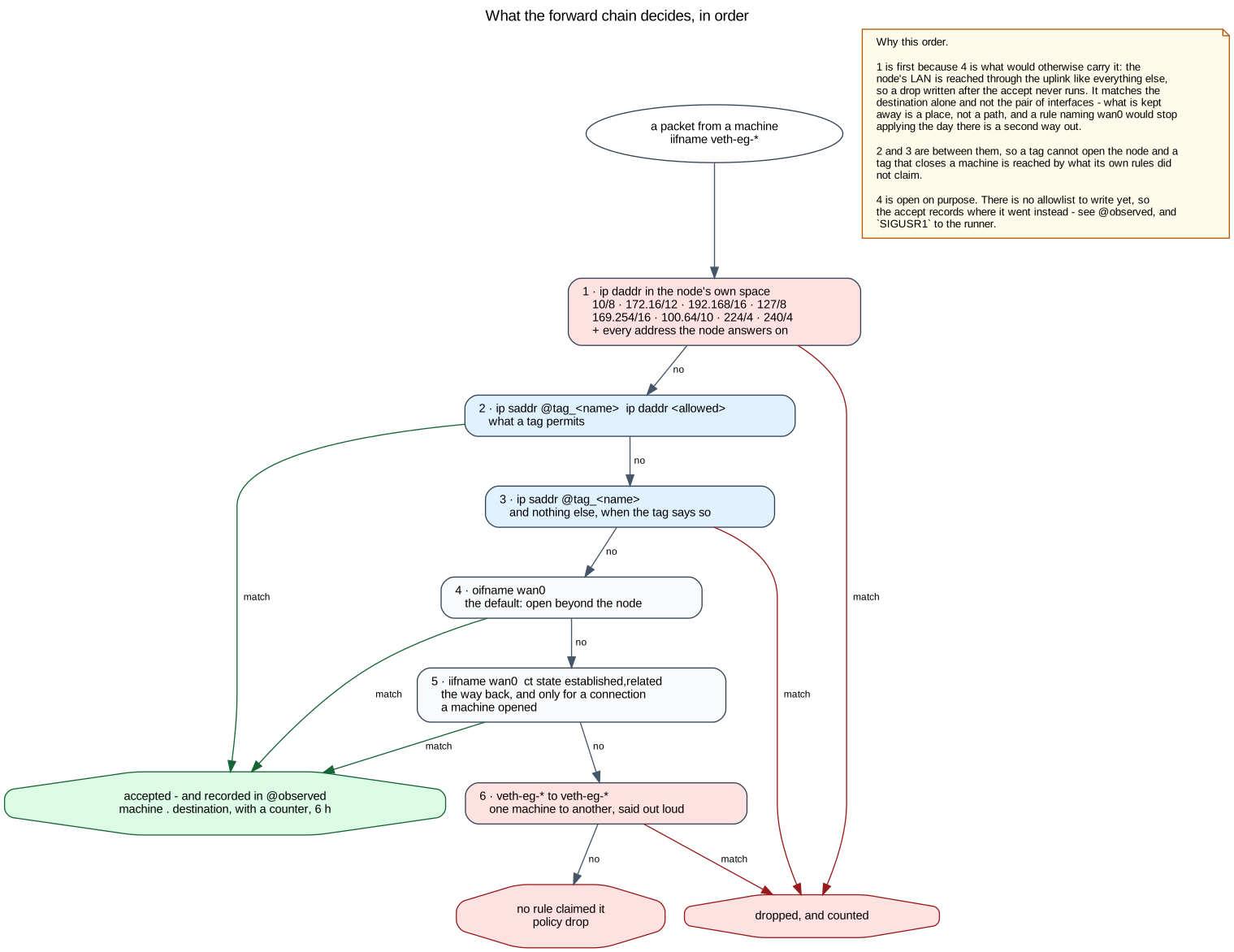
These drops come before any policy, so 0.0.0.0/0 means “the internet”, not “the runner’s
network”.
What a policy allows
Section titled “What a policy allows”network_policies: - name: agent allowNames: [github.com, "*.githubusercontent.com", registry.npmjs.org] allow: [140.82.112.0/20] - name: web allowPorts: [80, 443]allow: IPv4 prefixes.allowNames: host names, exact or with one leading*.. When the workspace looks up an allowed name, the runner opens the address it answered with, for that workspace only, for as long as the answer lives (between two minutes and an hour). A connection that started in that time keeps going after it.allowPorts: destination ports at any address. A number is TCP. UDP is asked for by name ("53/udp"), andicmpallows ping.
A name is exactly as precise as DNS: if one address serves many names, allowing one of them allows them all.
Tags add up. A workspace with two tags reaches everything either one allows.
DNS always works. A workspace’s resolver is the runner’s, which answers under every policy, so no policy needs to open port 53. It removes from its answers any address of the runner’s own networks, and every IPv6 answer.
Changing a workspace’s policies
Section titled “Changing a workspace’s policies”spin workspace policies # the policies you can choose fromspin workspace retag api --network-tag web --network-tag agentThe owner can choose among the policies the installation declares. Removing a policy from a running workspace closes the connections it had open, not only new ones.
Administrators declare policies in the installation settings or in the dashboard (Admin → Network), which shows for each one whether every runner enforces the current version.
Seeing what happened
Section titled “Seeing what happened”spin workspace egress apishows what the workspace reached in the last six hours, with the most traffic first, the names it looked up that failed, and what was refused in the last hour, with the name it was looked up by. The workspace’s Network tab in the dashboard shows the same. When something does not work, the refused list tells you which policy is too narrow.
Inbound
Section titled “Inbound”Nothing on the network can open a connection into a workspace. SSH, the terminal, spin exec
and published ports are all sessions: the runner opens the machine’s vsock and dials out to
the relay; you dial in to the relay too. See Ports and sharing.
The programs Spinbox runs inside the workspace reach the control plane the same way, over vsock
through the runner. A workspace is never told the control plane’s address, and offline does
not cut its terminal off.
Documents Spinbox v20261019.02. This page as Markdown, for a model or a terminal.